


From Concept to Vacuum
Custom your probes in a week.
Consultation
Confirm your probe requirements.
Design
Design according to your requirements.
Delivery time
Probes in a week.
Technical Support
Lightning-fast technical support response.

Select Your Performance Level
DC to 110 GHz
The robust all-rounder for PCB signal integrity and general wafer probing. Engineered for extreme durability (≥ 1M cycles) and consistent contact.
Primary Use
PCB / General Wafer
Primary Use
PCB / General Wafer
Primary Use
PCB / General Wafer
Primary Use
PCB / General Wafer
Select Your Performance Level
DC to 110 GHz
The robust all-rounder for PCB signal integrity and general wafer probing. Engineered for extreme durability (≥ 1M cycles) and consistent contact.
Primary Use
PCB / General Wafer
Primary Use
PCB / General Wafer
Available Probe Tip Configurations
Select a configuration to view technical details.
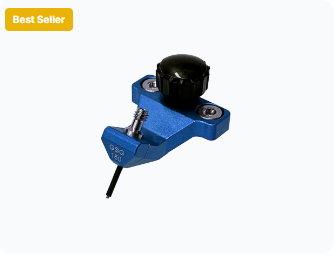
GS / SG Probes
Optimized for non-differential signals and compact pad layouts.
- DC to 40/67 GHz options
- Ideal for bias & filter testing
- Compact footprint
GSG RF Probes
Industry-standard configuration for calibrated RF measurements.
- DC to 110 GHz Bandwidth
- Low Insertion & Return Loss
- Standard CPW Calibration
GSGSG / GSSG
Designed for differential signal and mixed-signal testing.
- High Isolation & Low Crosstalk
- Mixed-Signal & Differential
- Multi-port Customization
Millions of creators chose Filmora as their video editor. Not only is Filmora simple to use, but we also offer over 15 million built-in stock media assets and an assortment of professional level video effects to elevate your content. Additionally, Filmora has a comprehensive suite of features aimed at professionals and enthusiasts alike. Custom templates, AI-powered automation and one click drag and drop editing offer users effortless video editing solutions and help them create stunning video content.
Filmora supports Windows, macOS, Android, iOS, and iPadOS operating systems. The video editing tool works and looks the same as desktop software and as a mobile app.
Filmora for Windows supports Windows 11 and below and requires:
CPU: Intel i5 or better, 2GHz+. (Intel 6th Gen or newer recommended)
RAM: 8 RAM (16GB required for HD and 4K videos)
GPU: Intel HD Graphics 5000 or later; NVIDIA GeForce GTX 1050 Ti or later; AMD Radeon RX R5 or later. Please keep your graphics driver updated.
Disk:10GB free hard-disk space (SSD recommended for editing HD and 4K videos). Check full tech specs on: https://filmora.wondershare.com/tech-spec.html.
Supported import formats: MP4, MOV, TS, WebM, MPEG-2, 3GP, MTS, FLV, MKV, WMV, and AVI.
Supported export formats: MP4, MPEG2, WebM, 3GP, TS, FLV, MKV, WMV, AVI, and MOV.